Custom MCP Servers
When the prebuilt MCP servers run out of road, you write your own. The protocol is a four-method handshake, the transport is stdio or HTTP, and the whole thing fits in 200 lines of TypeScript.
View companion repoOf the 132 plugins installed under ~/.claude/plugins/, 47 of them ship an mcp.json file declaring at least one MCP server (reproduce: find ~/.claude/plugins -maxdepth 3 -name 'mcp.json' | wc -l ÷ ls -d ~/.claude/plugins/*/ | wc -l). The Model Context Protocol is the standard way to extend Claude Code with tools the platform doesn't ship. Most of the time, you can install a prebuilt one — mcp-server-filesystem, mcp-server-github, mcp-server-postgres, the catalog is large and growing.
Then comes the day a prebuilt one doesn't exist for what you need. I needed an MCP server that read from a Supabase view I'd built specifically for syndication scheduling. There's no mcp-server-supabase-views. There's an mcp-server-postgres, but it doesn't speak the row-level security context I needed. So I wrote my own. It took an afternoon. The protocol is small.
For background on how Claude Code packages tools: skills anatomy covers the SKILL.md format; plugins covers how skills + MCP servers ship together; hooks as a control plane covers the orthogonal mechanism for governing what tools can do.
The Four-Method Handshake
MCP is a JSON-RPC protocol over stdio (most common) or HTTP. The Claude Code client and your server exchange four methods, in order:
That's it. There are optional methods for resources and prompts, but for an MCP server that just exposes a few tools, you can implement the four above and have a working server.
The transport: stdio. The client spawns your server as a subprocess, writes JSON-RPC requests to stdin, reads responses from stdout. Each message is a single line of JSON terminated by newline. There's no framing protocol beyond that. If your server prints to stdout outside of a response, the protocol breaks. So you log to stderr.
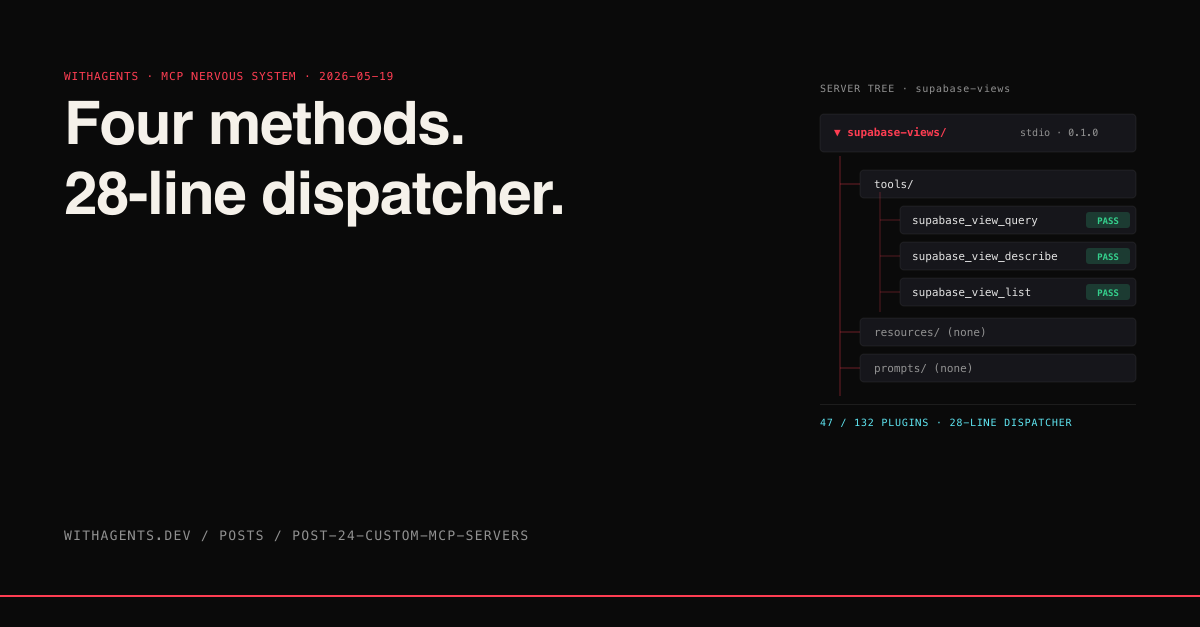
That's the entire dispatcher. Twenty-eight lines. Read a line, parse JSON-RPC, look up the method handler, call it, write the response back. Errors go to stderr. Responses go to stdout. The framing is newlines.
The Initialize Handshake
The first message you'll get from the client is initialize. The client tells you what protocol version it speaks and what capabilities it has. You respond with the same in reverse.
Eighteen lines including comments and braces. The capabilities.tools.listChanged: false says your server's tool catalog is static — once you've reported it, it won't change. If you set this to true, the client will know to re-fetch the tool list periodically.
protocolVersion is the wire-format version. As of this writing the active version is 2024-11-05 (protocol version current as of 2026-05; check the Anthropic MCP spec for the latest). New versions are introduced rarely; if the client speaks a different version, you can either upgrade or refuse the connection.
tools/list — Your Catalog
Once initialized, the client will ask tools/list. You return an array of tool descriptors. Each one has a name, a description, and a JSON Schema for its input.
The description field is the trigger surface. The model reads these descriptions when deciding which tool to call. Same rules as skill descriptions: precise, assertive, includes the use case. "Query a Supabase view with row-level security context" tells the model exactly when to reach for this tool.
The inputSchema is JSON Schema. The client uses it to validate parameters before sending them to you. You don't have to re-validate — the client has already enforced the schema.
tools/call — The Actual Work
When the model decides to use one of your tools, the client sends tools/call with the tool name and parameters. You do the work and return a content array.
The response shape is { content: [{ type, text }], isError? }. Content is an array because tools can return multiple chunks (text + image, text + structured data). Most tools return one text chunk. The model parses it and continues the conversation.
The isError: true flag tells the model the call failed. Set it when something went wrong but the call itself completed (e.g., the database returned an error). Reserve actual JSON-RPC errors for protocol-level failures.
Error Handling Patterns
MCP errors live at two layers and you have to pick the right one. Transport-level errors are JSON-RPC failures — bad method, malformed params, server crashed mid-request. Those get a JSON-RPC error envelope with a numeric code and a message. Tool-level errors are real-world failures inside a successful call — the database refused the query, the API returned 4xx, the file didn't exist. Those return { content, isError: true }. Mixing the two confuses the model: a tool-level failure dressed as a transport error makes the client retry; a transport failure dressed as a tool-level error makes the model "reason" about a broken connection.
Retry semantics: the client retries transport errors automatically, never tool-level ones. Timeouts default to roughly 30 seconds and count as transport errors — the client kills the call and the user sees a generic failure.
The try/catch around the tool body is the contract. Anything that throws gets captured, logged to stderr, and returned as a structured tool-level error. Transport-level errors only happen if the dispatcher itself crashes — in practice, JSON parse failures or unknown methods.
Auth Patterns for MCP Tools
Three auth approaches show up in real MCP servers. Pick by deployment shape, not by sophistication.
Env-var injection. The simplest pattern. The .mcp.json env block ships secrets through to the subprocess. Works for stdio servers running locally where the user already has the credentials.
OAuth flow with token refresh. Required when the tool acts on behalf of the user against a third-party API (Linear, Notion, Slack). Store the refresh token somewhere durable, exchange it on startup, refresh when access tokens expire.
No-auth. For local-only servers reading the user's own filesystem or a local DB. Skip auth entirely. Don't invent ceremony where there's no boundary to cross.
The mistake I keep seeing: OAuth bolted onto a stdio server that runs locally, where the user's own keys would have been fine. Match auth to the trust boundary.
stdio vs HTTP Transport Tradeoffs
stdio is the default for a reason. Claude Code spawns your binary as a subprocess, pipes JSON-RPC over stdin/stdout. Single client per process. No network. Sub-millisecond round-trip. Simpler — no auth, no CORS, no listening port. The downside: one client at a time, and the server's lifetime is bound to the parent process.
HTTP transport unlocks multi-client and remote deployment. Now the server can be a long-running service that multiple Claude Code sessions hit, or a hosted MCP endpoint shared across a team. The cost: you write auth (the network is open), you handle CORS for browser clients, and round-trip latency climbs to 5-50ms on localhost or 50-200ms over the WAN.
Pick stdio when: the server is local, single-user, and the work doesn't outlive the session. Pick HTTP when: the server backs a shared resource (team database, internal API), needs centralized config or rate limiting, or you want one server process to serve many clients. For everything I've built so far, stdio has been the right call. The 47 MCP servers in my plugin cache are stdio almost without exception.
Registering Your Server
Once your server runs, you tell Claude Code about it via a .mcp.json file in your project root or ~/.claude/mcp.json for global registration:
The command is what Claude Code spawns. The args are the arguments to pass. The env is environment variables, with ${VAR} syntax for expansion from the parent process's environment. Restart Claude Code and the new server shows up in /mcp along with its tool catalog.
The Tool Naming Convention
When your server's tools surface in the model's context, they get prefixed with the server name and a double underscore: supabase-views__supabase_view_query. That's how the client disambiguates tools from different servers.
In the JSONL session log you'll see this prefix on every call:
Keep your tool names short. The full prefixed name shows up in every tool definition the model sees, eating cache prefix space.
When to Build vs When to Use Prebuilt
The prebuilt MCP catalog at the official mcp-servers repo covers maybe 80% of what people need: filesystem, Git, GitHub, GitLab, Postgres, SQLite, Slack, Linear, Notion, Sentry, browser automation. If your need fits the catalog, install the prebuilt one. Don't reinvent.
You build your own when:
- 01The data source is yours (a private API, an internal database, a custom SaaS view)
- 02The prebuilt server doesn't expose the slice you need (the postgres server is generic; you want a tool that knows your schema)
- 03You need RLS or auth context the prebuilt server doesn't propagate
- 04You want a tool description optimized for your team's phrasing, not generic descriptions
That last one is undervalued. The whole point of MCP tools is that the model picks them up by description. A custom MCP server with descriptions like "Query the syndication_log table for posts published to LinkedIn in the last week" gets activated reliably by the team that uses it. The generic postgres server's query tool gets activated for everything and nothing.
What Goes Wrong
Three failure modes I've hit:
1. stdout pollution. Anything printed to stdout that isn't a JSON-RPC response breaks the protocol. console.log debug calls left in the code, library warnings, anything. The first time this happens, the client closes the connection silently and your server appears broken. Always log to stderr.
2. Slow responses. The client has a default timeout (around 30 seconds). If your tool takes longer, the client kills the call. For long-running operations, return a job ID immediately and provide a separate tool for polling status.
3. Schema drift. If your tool's parameters change without updating inputSchema, the client validates against the old schema and rejects valid calls. Bump your schema every time the parameters change. The model will pick up the new shape automatically.
“The 47 MCP servers in my plugin cache cover everything from PR review to code search to database access. The pattern is the same across all of them: small server, focused toolset, descriptions tuned to the team's phrasing. Once you've written one, the next one takes an hour. The protocol's minimalism is the point.”
Continue the series
- 23OperationsPrompt Caching EconomicsCache reads cost a tenth what cache writes cost, and most agents leave that 90% discount on the table because nobody structures their system prompt for hits. Here's how to order your messages so the cache pays you back.
- 25OperationsDocs When Readers Aren't HumanAGENTS.md, SKILL.md, CLAUDE.md — three doc formats nobody asked for, written for an audience that doesn't read narrative. The 95:5 ratio between human-targeted and agent-targeted docs is about to flip.
- 22OperationsHooks as a Control PlaneFour hook events form the entire governance surface of Claude Code — refuse tools, gate commits, block deploys, enforce evidence. Once you see it as a control plane, the whole agent stack changes shape.
- 21OperationsThe Economics of a SessionToken spend per task complexity, when Opus actually pays back over Sonnet, and the cost-of-defect curve that makes "use the cheap model" the most expensive choice you can make