iOS Patterns from 4,597 Agent Sessions
What 4,597 sessions taught me about SwiftUI, state, and survival — five patterns from three iOS apps that earned their keep or crashed.
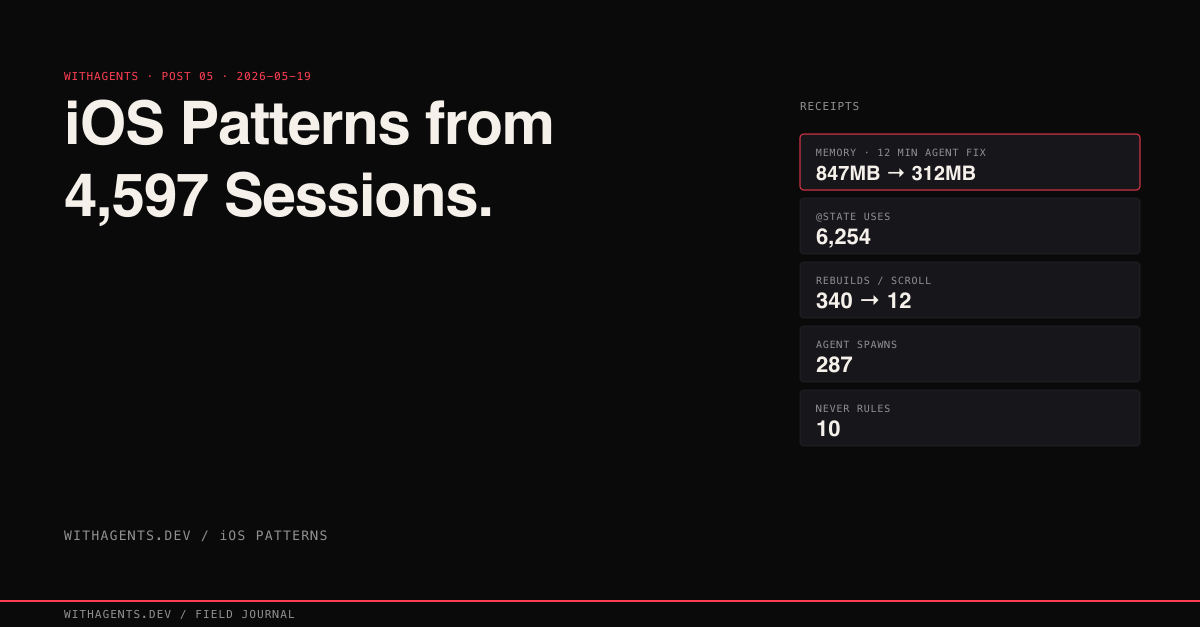
View companion repoOur iOS app was eating 847MB of memory on a device with 3GB available. An agent found and fixed the problem in twelve minutes. A human developer had spent three days on the same issue the previous week. The agent started from Instruments data (what’s actually leaking) rather than source code (what might be leaking), and that change of starting point was the entire difference.
That fix came from session logs that now span 4,241 files for ils-ios alone, plus 252 for code-tales-ios and 104 for amplifier-ios. Across 23,479 total sessions in this series, the iOS work generated the single largest project by data volume: 4.6GB of session logs, 1.5 million lines, 287 agent spawns. iOS is where agents earn their keep or crash and burn. No middle ground.
This post distills the five patterns that survived: state management, memory profiling, iCloud sync, Keychain security, multi-simulator validation. Production Swift code that emerged from watching agents make the same mistakes hundreds of times, then encoding the corrections. The companion repo at claude-code-ios organizes each pattern file by symptom rather than framework. When you’re debugging at 11 PM, you know the symptom, not the root cause.
The Architecture That Emerged
Agents built this architecture by accident. They needed boundaries. Clear state ownership. Explicit interfaces between layers. Isolation that prevents a fix in one area from breaking three others. The structure below stabilized after hundreds of failures.
Four layers with explicit ownership boundaries. Views own only local rendering state. An @Observable model owns shared app state and distributes it through @Environment. Service-layer actors handle all I/O (CloudKit, Keychain, performance monitoring) with Swift’s actor isolation guaranteeing thread safety. Platform APIs sit at the bottom, touched only through service wrappers.
This isn’t an architecture astronaut diagram. It’s the minimum structure required to keep agents from creating retain cycles, race conditions, and state corruption. Every layer boundary exists because removing it caused bugs in production.
SwiftUI State: The Pattern Census
Agents made the same state-management mistakes hundreds of times. Here’s the pattern distribution across the codebase:
6,254 uses of @State versus 120 of @Observable. The migration from the old observation system to the new one was still in progress, and the boundary between them was where most bugs lived.
The Combine bridge complexity tells a parallel story: 360 Combine references, 36 removeDuplicates, 35 sink {} closures, 33 weak self captures, 33 objectWillChange calls, 13 AnyCancellable instances. Each weak self exists because someone got burned by a retain cycle. Each removeDuplicates exists because a Combine pipeline fired redundantly. Every one of these is a scar.
Three Mistakes Agents Make Repeatedly. Mistake 1: Using @State for shared data. An agent declares @State private var items: [Item] = [] in a parent view, passes it through bindings, and wonders why child views aren’t updating. @State is view-local, view-owned. Shared data needs a shared owner:
Notice the immutable operations: sessions + [session] instead of sessions.append(session), .filter instead of .remove(at:). This is deliberate. Mutation inside @Observable classes produces subtle ordering bugs when multiple views observe the same property. New collections every time. The compiler optimizes the copy anyway.
Mistake 2: Creating ObservableObject instances in the view body. Every SwiftUI render cycle calls let viewModel = ViewModel(), creating a fresh instance each frame. State resets on every parent re-render. The fix: @StateObject (legacy) or @State with @Observable so the instance survives re-renders.
Mistake 3: Prop-drilling through six levels of hierarchy. A theme color defined at the app root, passed through NavigationStack, TabView, ContentView, DetailView, HeaderView, finally used in TitleLabel. Six intermediate views carrying a parameter they never use. Sound familiar? Just use @Environment injection at the root and direct access at the leaf.
“If your view rebuilds when you type in an unrelated text field, your state architecture is wrong.”
View Rebuild Optimization. One concrete measurement from a product list screen: 340 view rebuilds per scroll gesture. 340! The cause was an @ObservedObject at the list level that triggered full-list invalidation on every item change. Moving to granular @Observable properties, where each item tracked its own state, dropped rebuilds to 12 per scroll. Same visual result, 96% fewer render cycles.
The key technique is Equatable conformance on row views:
SwiftUI checks Equatable conformance before diffing the view tree. If the row hasn’t changed according to your equality check, it skips the body entirely. For a list of 500 sessions, that’s the difference between rendering 500 views and rendering 12.
The Memory Crisis and Performance Profiling
The 847MB memory crisis started with a single Instruments trace. The allocation graph looked like a staircase: every navigation push added memory that never came back. Users were seeing jetsam terminations on older devices.
An agent identified three problems in twelve minutes:
- 01Retained image caches. A UIImage cache with no countLimit or totalCostLimit. Every product image ever scrolled past stayed resident. The math is brutal: 200 images at 1170x2532 RGBA is 200 * 1170 * 2532 * 4 = 2.37GB. That’s your memory leak, right there in arithmetic.
- 02Un-cancelled network tasks. Each view fired URLSession tasks on viewDidAppear but never cancelled them on viewDidDisappear. Navigate forward and back ten times, ten redundant fetches pile up, each holding response data in its completion closure.
- 03ObservableObject reference cycles. A view model held a strong reference to a service, which held a strong reference to a delegate, which held a strong reference back to the view model. The agent identified it from the Instruments “Leaks” instrument, not from reading code. The code looked fine. The runtime behavior didn’t.
The performance profiler that came out of this uses mach_task_basic_info for real memory readings, not the sanitized numbers from ProcessInfo:
The profiler runs on a background queue, takes snapshots every 5 seconds, and warns when resident memory exceeds 200MB. For the performance optimization effort (40 dedicated worktree sessions) the target was app memory under 100MB. The implementation centered on a CacheService with LRU eviction, monitored by mach_task_basic_info with an 80MB warning threshold and a 60-second cooldown between alerts. For large message lists (200+ messages), we switched to LazyVStack to avoid keeping off-screen views in memory.
- −34 leaked objects per navigation cycle
- −Unbounded UIImage cache (~2.37GB worst case)
- −URLSession tasks never cancelled on disappear
- −ObservableObject reference cycles
- +0 leaked objects
- +CacheService with LRU eviction
- +Tasks cancelled on viewDidDisappear
- +LazyVStack for 200+ message lists
The nonisolated Compiler Trap
This one deserves its own section because it burns every developer exactly once. The Swift compiler suggests nonisolated on mutable stored properties in @Observable classes annotated with @MainActor. It looks like helpful advice. It’s a trap.
The @ObservationTracked macro generates mutable backing storage (_property) that inherits the nonisolated attribute. Using plain nonisolated on those properties breaks the build with errors that point to generated code you can’t see. The fix is nonisolated(unsafe), an escape hatch that tells the compiler “I know what I’m doing, don’t enforce isolation on this property.”
Ever followed a compiler suggestion only to get a worse error? That’s this. And it led to one of ten rules that emerged from session 5713bfed:
- 01NEVER use Task.detached — loses actor context
- 02NEVER replace try? with try! — use do/catch
- 03NEVER fix ILSShared files without building BOTH iOS and macOS
- 04NEVER batch more than 5 fixes before building
- 05NEVER trust audit report blindly — always READ the file
- 06NEVER fix @State/@Binding by changing default value
- 07NEVER add as! Type to fix a type error
- 08NEVER change sync to async without updating ALL callers
- 09NEVER follow compiler’s nonisolated suggestion on @Observable @MainActor classes
- 10NEVER claim PASS without reading every screenshot
These aren’t style preferences. Each one represents a debugging session that cost hours. Rule 4 alone (“never batch more than 5 fixes”) exists because an agent once applied 23 fixes in one pass, the build broke, and the error messages pointed to interactions between fixes that were individually correct but collectively incompatible. I still don’t fully understand why some of those interactions happened. The Swift compiler’s error reporting when macros are involved is, let’s just say, not great.
iCloud Sync and CloudKit Conflicts
Two devices editing the same record offline, then syncing. The classic multi-device problem. The work ran across 57 dedicated worktree sessions with 12 references to CKContainer, 16 to CloudKitService.swift, and 11 to NSUbiquitousKeyValueStore.
Three conflict resolution strategies exist: last-write-wins (simple but lossy), field-level merge (each field tracks its own modification, so Device A’s title change and Device B’s description change both survive), and operational transform (the Google Docs approach, overkill for a typical iOS app).
We went with CKRecord change tokens with field-level merge on conflict:
The critical insight: start from the server record, not the client record. The server record has the correct change tag. Apply only the fields this device explicitly changed. Everything else keeps the server’s version.
Here’s a real scenario that validated this. A user edited items on their iPhone over the weekend while their iPad sat powered off. Monday morning, iPad comes online, 47 conflicts from two days of divergent edits. Last-write-wins would have silently dropped half the changes. Field-level merge preserved all of them. The user never saw a conflict dialog.
Keychain as the Credential Boundary
A security audit found OAuth tokens in UserDefaults. How bad is that? Any app extension with the same app group can read UserDefaults. On a jailbroken device, any process can. UserDefaults is a property list file on disk with no encryption at rest.
The actor-based Keychain wrapper solves the thread safety problem that most Keychain implementations ignore:
Why an actor? Keychain operations are synchronous C calls that block the caller. Wrapping them in an actor ensures serial access (no two callers race on the same keychain item) and moves the blocking work off the main thread when called with await. Four methods: save, load, delete, exists. That’s the entire API surface.
Three mistakes agents make with Keychain:
Forgetting kSecAttrAccessible flags. Without an explicit flag, credentials are readable when the device is unlocked, including from background processes. For OAuth tokens, kSecAttrAccessibleAfterFirstUnlockThisDeviceOnly is correct. Biometric access uses kSecAttrAccessControl with biometryCurrentSet.
Not handling errSecItemNotFound vs errSecDuplicateItem. A read that finds nothing returns errSecItemNotFound, not nil. A write that collides returns errSecDuplicateItem, not an overwrite. The delete-before-save pattern in the code above sidesteps the duplicate issue entirely.
Mixing Keychain access groups across targets. The main app and its widget extension need different access groups unless you explicitly configure a shared group. An agent that adds Keychain storage to the widget without updating entitlements gets a silent errSecMissingEntitlement. No crash. No error dialog. Just credentials that silently fail to save. I don’t want to think about how long that one took to track down.
Multi-Simulator Validation
The Friday afternoon bug: layout broken on iPhone SE (375pt width), fine on iPhone 15 (393pt width). The primary CTA button got clipped by 18 points. Untappable. It shipped on a Thursday. Three days passed before a support ticket revealed it. During those three days, new item creation dropped 40% from SE users.
Eighteen points. That’s what separated “works” from “doesn’t work.”
The data across all 23,479 sessions shows how much simulator work happened: 2,620 idb_tap calls, 2,165 simulator_screenshot captures, 1,239 idb_describe queries, 479 gestures, 128 xcode_build invocations. Nearly 8,000 iOS MCP interactions total. Agents were living inside simulators.
The minimum viable device matrix:
The SimulatorOrchestrator boots devices in parallel using Swift’s structured concurrency, distributes validation scenarios round-robin across devices, and captures screenshots as evidence:
Accessibility labels serve as device-independent tap targets. Instead of tapping coordinates (which shift between screen sizes), the validation script taps by label: app.buttons["createItemButton"].tap(). Same label, different coordinates, correct behavior on every device.
The Compound Effect
These five patterns interact in ways that bite you. A retain cycle in an @ObservedObject causes both a memory leak and a state bug: the zombie view model responds to updates for a view that no longer exists. iCloud sync depends on correct Keychain access. If the OAuth token that authenticates CloudKit gets stored insecurely, the entire sync layer breaks. Multi-simulator validation catches failures that only emerge from interaction, like a retain cycle that only shows up on iPad because the navigation flow differs from iPhone.
The worktree distribution tells the story of where the time went: 65 sessions on the native macOS app, 57 on iCloud sync, 46 on multi-agent teams, 44 on custom themes, 43 on SSH service, 40 on performance optimization.
The session count isn’t a vanity metric. It’s the iteration count required to discover that iOS development with agents requires pattern libraries, not just code generation. An agent that knows Swift syntax can write a Keychain wrapper. An agent that’s hit errSecMissingEntitlement three times before knows to check the entitlements file first. Big difference.
The claude-code-ios repo contains five organized Swift files:
SimulatorOrchestrator.runParallelValidation is also the bridge to the next post. Once validation runs across four simulators in parallel without stepping on itself, the same lesson generalizes to development: the bottleneck stops being CPU and starts being coordination. The next post is what happens when you scale that pattern from four simulators to thirty-five worktrees of in-flight code.
Continue the series
- 06Validation194 Parallel Agents, Zero Merge ConflictsGit worktrees give each AI agent its own filesystem — a five-stage pipeline makes sure they all come back together
- 07ValidationThe 7-Layer Prompt Engineering StackHow layered enforcement turned written rules into mechanical discipline across 23,479 AI coding sessions
- 08ValidationRalph: The Self-Correcting Hat-Based LoopOne hat per session, one event per hat, and the 1:47 AM guidance command that finished 28 tasks by morning
- 09ValidationMining 23,479 Sessions: What 3.4 Million Lines of AI Logs Actually RevealBuilding a pipeline to extract patterns from 11.6GB of Claude Code session data — and discovering the series was using the wrong numbers