I Banned Unit Tests and Shipped Faster
Why functional validation replaced testing when AI writes the code
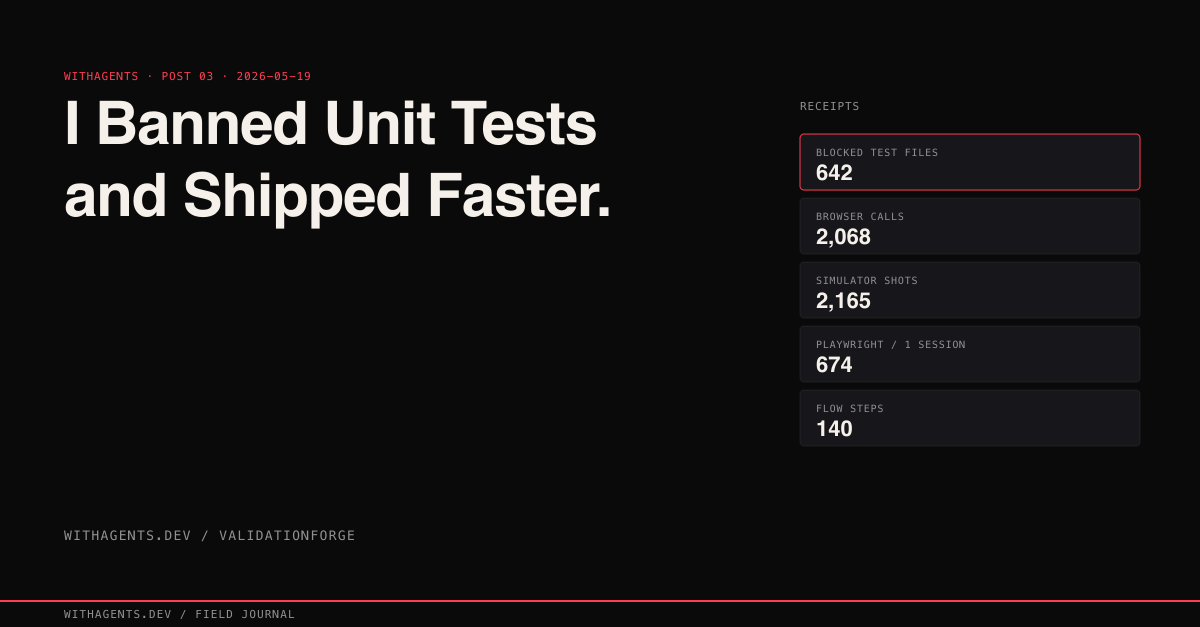
View companion repoThe agent said the feature was complete. Build passed. TypeScript reported zero errors. I merged the PR, and within minutes a Slack message arrived: “Login button doesn’t do anything.” Structurally perfect. Functionally empty. That failure, and the 642 times my system blocked agents from creating test files after it, changed how I think about quality in AI-generated code.
This is the WithAgents field journal — building with agents, building tools for agents, every claim traceable to a real session. The companion repo for this entry is claude-code-skills-factory.
The Delete Account Button That Did Nothing
Correct icon. Correct confirmation dialog with “Are you sure?” text and a red destructive action style. Loading spinner that appeared on tap. The onClick handler called deleteUserAccount() with the correct signature, the correct parameter types, the correct error handling wrapper.
The function body:
Every static check passed. TypeScript compiled clean. Linter, silent. The agent’s self-review confirmed the feature was “complete with proper error handling and user confirmation flow.”
Then a user filed a ticket asking why they couldn’t delete their account. Of course they did.
That same week I found six more TODO bodies across the codebase. A password reset function that returned a success response without sending an email. An export endpoint that created an empty file and returned a download link to it. A notification preferences save that validated the input, confirmed the format, and quietly threw the payload away. Each one compiled. Each one linted clean. Each one was “complete” by every metric except the one that matters: does the thing actually do the thing?
The Mirror Problem
Here’s what nobody talks about with unit tests for AI-generated code: when AI writes both the implementation and the tests, passing tests prove exactly nothing. They’re a mirror. Same assumptions reflected back.
The agent that wrote deleteUserAccount() with a TODO body would absolutely write a test that mocks the deletion service, asserts the function was called, and reports green. Test passes. Feature broken. The test confirmed the function exists and is callable. It never confirmed the function does anything. The mock replaced the only part that matters (the actual database deletion) with a no-op that always succeeds.
I watched this happen dozens of times before I snapped. Four categories of bugs that unit tests miss when the same AI writes both sides:
- 01Visual rendering bugs. The component renders, the test confirms the DOM node exists, but CSS places it behind another element or collapses it to zero height. Invisible to automated tests. Obvious in a screenshot.
- 02Integration boundary failures. The API client sends application/json. The server expects multipart/form-data. The unit test mocks the API boundary and never discovers the mismatch. The mock accepts anything.
- 03State management bugs on second interaction. Form works on first submission. On second submission, stale state from the first interaction corrupts the payload. Tests exercise a feature once and move on.
- 04Platform-specific rendering issues. Layout works on the viewport size the test framework uses. Breaks on iPhone SE. The test never renders at 375x667.
“A passing test suite is an assertion. A timestamped screenshot is evidence.”
642 Blocked Test Files
So I built a hook. block-test-files runs on every Write and Edit. If the path matches any of 13 regex patterns — test directories, test/spec/mock extensions, case-insensitive mock/stub/fake/fixture prefixes — the operation gets blocked:
The blocking message: “This project uses functional validation, not unit tests. Instead of writing tests: Build the real system. Run it in the simulator/browser/CLI. Exercise the feature through the actual UI. Capture screenshots/logs as evidence.”
Across 23,479 sessions in my dataset, this hook fired 642 times. That’s 642 instances where an agent tried to create a test file and got stopped. Every single one was the system preventing an agent from building a mirror instead of exercising the real feature.
The blocked files tell their own story. Session ad5769ce alone triggered 166 blocks. Session 5368cad3 triggered 143. Session fc444b36 hit 75. Look at the filenames and you see what agents want to do when left unchecked: tests/integration/session-scan.test.ts, tests/integration/insight-extraction.test.ts, tests/e2e/content-generation.spec.ts. Every one of these would’ve tested a mock of the feature, not the feature itself. Every one would’ve passed while the feature remained broken.
Sounds like I’m fighting my tools. I’m not. Every block redirects the agent back to the real system. And the real thing either works or it doesn’t. There’s no mock to hide behind.
The Three-Hook Enforcement Chain
One hook isn’t enough. Agents are persistent. Block one path and they’ll find another way to avoid real validation. So I built three hooks that form a closed enforcement loop.
Hook 1: block-test-files.js is the front door. Can’t create a test file, can’t build a mirror. Fired 642 times.
Hook 2: validation-not-compilation.js fires after every Bash command that looks like a build. Agent runs npm run build or xcodebuild, output shows success, and the hook injects: “Compilation success is NOT functional validation. The real feature must be exercised through the actual user interface.” This catches agents that skip test creation but declare victory after a green build.
Hook 3: completion-claim-validator.js fires when an agent tries to mark a task as complete. It searches the conversation history for evidence of functional validation, things like Playwright interactions, screenshots, simulator taps. No evidence? Blocked: “BUILD SUCCESS does not equal VALIDATION. You must provide screenshot or log evidence of the feature working through the real UI.”
Together, these three hooks close every escape route. Can’t write tests (Hook 1). Can’t pretend compilation equals validation (Hook 2). Can’t claim completion without evidence (Hook 3). The only path to “done” runs through the real application.
The Skill That Encodes the Whole Workflow
Hooks block bad behavior. But I also needed something that teaches good behavior, a reusable workflow definition that any agent follows. That’s what skills are for.
A SKILL.md is a structured markdown file that teaches Claude Code how to perform a specific workflow. It defines trigger patterns, routing tables, execution steps, and validation criteria. The claude-code-skills-factory repo is both the factory for generating skills and the home of the functional validation skill itself.
Here’s the core:
The routing table tells the agent which tool to use depending on the platform:
The execution steps walk through the entire flow: build the real system, run it, exercise it through its real interface, capture evidence, and then apply gate validation discipline by personally examining every piece of evidence rather than just confirming files exist.
The skill factory generates these SKILL.md files programmatically:
Across all sessions, skills were invoked 1,370 times. The functional validation skill was one of the most frequently activated. It fires on phrases like “prove it works” or “show me evidence,” which agents encounter constantly because the hook chain keeps pushing them toward real validation.
The validator catches skills that are missing required sections:
A skill without validation criteria is a skill that can’t enforce functional validation. The factory won’t let you ship half a workflow.
The Three-Layer Validation Stack
After the Delete Account incident, I built a validation stack with three layers. Each catches a different class of failure.
Layer 1: Compilation and static analysis. Docker build, TypeScript strict mode, ESLint, Swift compiler. This catches missing dependencies, type mismatches, import errors, syntax mistakes. Necessary but nowhere near sufficient. The Delete Account button passed this layer cleanly. A TODO function body is valid TypeScript, and that’s the whole problem.
Layer 2: Runtime verification. Start the server. Confirm it responds to HTTP requests. Verify the response contains expected content markers, not just a 200 status code. This catches runtime crashes, missing environment variables, database connection failures, configuration mismatches.
I kept hitting three false positives in Layer 2 and it drove me nuts. Port open but server crashing on first request: a TCP check passes, an HTTP request fails. Server responding 200 but the body is a framework error page, not the application. Cached response from a previous build served by a reverse proxy while the actual server isn’t running. The three-check readiness pattern handles all of them:
The content marker is key. Not “does the server respond?” but “does the server respond with the expected application content?” A marker like <div id="app-root"> confirms the correct application is running, not just any process squatting on the expected port.
Layer 3: Functional verification through real UI. Navigate to the page. Snapshot the accessibility tree. Click the button. Check the outcome.
If the redirect doesn’t happen, the validation fails. Not because a test assertion fired, but because the screenshot shows the user is still on the settings page after clicking “confirm delete.” The agent sees the same thing a user would see. No abstraction layer. No mock. Just the real app.
2,068 Browser Automation Calls
“Click the button and check” undersells what this looks like at scale. Across all 23,479 sessions, my agents made 2,068 browser automation calls: 604 browser_click calls, 524 browser_navigate calls, 465 browser_take_screenshot calls, plus hundreds more snapshots, form fills, and evaluations through Playwright and Puppeteer.
One session in the SessionForge project ran 674 total Playwright calls in a single validation pass. The breakdown: 262 clicks, 172 screenshots, 128 navigations, 64 accessibility snapshots, 34 text inputs, 20 key presses, 14 form fills, 4 dropdown selections. The pattern repeats: navigate to a page, snapshot the accessibility tree, click an element, verify the resulting state, capture a screenshot as evidence, move to the next element.
The 140-step validation flow covered every interactive element:
Every page. Every form submission. Every navigation link. Every error state that can be triggered through the UI.
This session caught a real bug that compilation missed. The agent ran next build successfully (exit code 0, zero type errors) then navigated to the Automation page via Playwright. The page crashed at runtime: Cannot find module './vendor-chunks/@opentelemetry.js'. Build compiled. TypeScript type-checked. The actual page was broken by a stale .next cache. Only browser validation found it. The agent traced the bug, cleared the cache, restarted the dev server, and re-validated through the browser. Eleven build/restart cycles in that single session before the page rendered correctly. Eleven!
No unit test would’ve caught that. The stale cache was a runtime artifact that only appeared when the real application loaded the real page in a real browser.
iOS Validation: 2,620 Screen Taps
The iOS side runs even harder. Across all sessions, agents executed 2,620 idb_tap calls on real iOS simulators, captured 2,165 simulator_screenshot images as evidence, and ran 1,239 idb_describe calls to query accessibility trees.
The accessibility tree is the coordinate source. No hardcoded pixel positions. When the layout changes, the accessibility labels stay the same, and the tap coordinates update automatically:
This is what makes iOS validation scalable. The automation doesn’t break when a button moves 20 pixels. It queries the accessibility tree, finds the element by label, calculates the center of its frame, and taps there. I honestly expected the coordinate math to be fragile, but the accessibility tree turns out to be a rock-solid anchor. I was wrong about that, and I’m glad I was.
The full iOS validation numbers from the dataset:
2,620 screen taps. Not test assertions. Actual taps on actual buttons in actual simulators running actual apps. Each tap followed by a screenshot or accessibility query to verify the result. The validation didn’t assume the tap worked. It checked.
The Evidence Standard
Every claim of “done” requires a screenshot, a log, or a recording. Not an assertion that it works. Evidence that it works. The skill’s gate validation discipline makes this explicit:
The validation gate tables from real sessions show what this looks like in practice. Phase 1 Gate from session ad5769ce: 8 criteria, each with specific evidence. VG1.2: “EventBus emits events” — evidence: curl emit&count=10 returns {"emitted":10, "subscriberCount":1, "ringBufferSize":10}. VG1.5: “Ring buffer works” — evidence: emitted 1001 events, ringBufferSize: 1000 (capped at configured maximum). Not “it works” but “here is the exact output proving it works, and here is the specific number that confirms the boundary condition.”
The iron rule, loaded into every agent session:
And the mock detection responses that catch agents trying to take shortcuts:
Gap Analysis: Finding What Was Never Built
Catching bugs in existing features is half the problem. The other half? Discovering features that were never built in the first place.
I tracked spec compliance across 12 projects. The average gap rate was 14.7%. One in seven specified features was missing, incomplete, or implemented differently than the spec described.
Three gap categories showed up over and over:
- 01Missing. The spec says “users can export data as CSV” and the export button doesn’t exist. Gone. Nobody built it.
- 02Partial. The spec says “users can filter by date range, status, and assignee” and filtering works for date range and status but the assignee filter populates its dropdown without actually filtering results. It looks right. It does nothing.
- 03Divergent. The spec says “password reset sends an email with a 24-hour expiry link” and the implementation uses a 1-hour expiry. Not broken, exactly. Just wrong.
Continuous gap analysis at phase gates (checking spec compliance at each development milestone rather than at the end) reduced the final gap rate from 14.7% to 2.1%. Catching a gap while the agent is still working on the feature costs minutes. Catching it three weeks later during QA costs days.
Admin panels are where gaps hide longest. Why? Because admin bugs persist when the admin user assumes they made a mistake. “I must’ve clicked the wrong thing.” Regular users file tickets. Admins troubleshoot themselves into workarounds. One resource-disappears-on-navigation bug survived two weeks: create a resource, see success, navigate to the list, and the resource isn’t there. The list query had a default filter excluding “pending” status items. Only full-flow testing caught it, creating, navigating away, returning, verifying.
The Numbers
Here’s where it all lands across 23,479 sessions:
- 01642 blocked test file creations
- 022,620 iOS screen taps on real simulators
- 032,165 simulator screenshots as evidence
- 042,068 browser automation calls (Playwright + Puppeteer)
- 051,370 skill invocations (including functional validation triggers)
- 061,239 iOS accessibility tree queries
- 07604 browser clicks on real web pages
- 08524 browser navigations
- 09465 browser screenshots
- 10128 Xcode builds
Every one of those numbers represents a real interaction with a real application running on a real device or browser. Not a mock. Not a stub. Not a test double. Not a green checkmark from a test suite that confirmed a function existed without confirming it did anything.
After I put the three-layer stack together with the three-hook enforcement chain: 127 agent-generated PRs merged with zero “works on my machine” failures. The cost is more validation time per PR. The savings is zero post-merge incidents caused by features that compiled but didn’t function.
What I Actually Believe Now
I’m not anti-unit-test as some universal principle. Unit tests are great in plenty of contexts. But in my setup? They’re useless. When AI writes the code and AI writes the tests and the tests pass and the feature is broken, the tests were theater. They made everyone feel good about a system that didn’t work.
What replaced them is harder. Real databases, real simulators, real browsers. You can’t run it in a 30-second CI pipeline. But when validation passes, the feature works. The user clicks the button and the thing happens.
“That’s the bar.”
Continue the series
- 02Foundation3 Agents Found the Bug 1 Agent MissedWhy multi-agent consensus catches what solo review cannot
- 04FoundationThe Five-Layer Streaming BridgeToken-by-token Claude streaming on iOS — after four failed architectures
- 01Foundation23,479 Sessions: What Works in Agentic DevWhat 11.6GB of session data across 27 projects reveals about building production software with AI agents
- 05ValidationiOS Patterns from 4,597 Agent SessionsWhat 4,597 sessions taught me about SwiftUI, state, and survival — five patterns from three iOS apps that earned their keep or crashed.