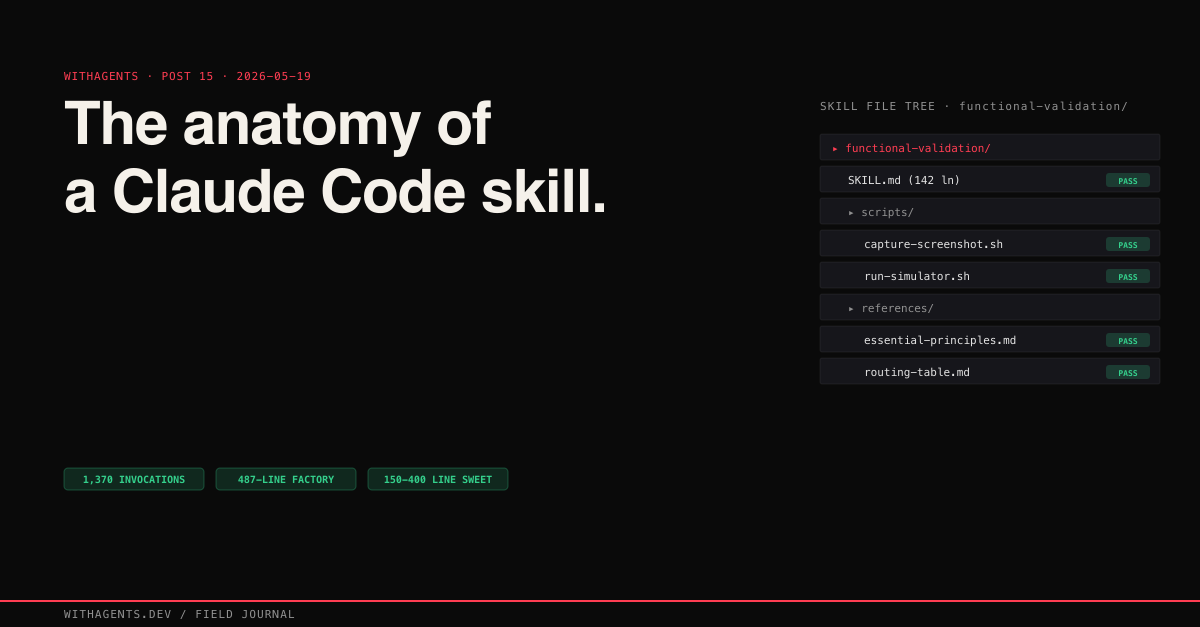
The Anatomy of a Claude Code Skill
How SKILL.md files turn repeatable workflows into invocable prompt programs — and the factory that generates them
View companion repoI was copy-pasting the same 200-line prompt block into sessions. Every. Single. Time. “Scan my episodic memory for recent sessions. Extract insights. Group by theme. Write a blog post for each theme. Generate companion repos. Create social media cards.” And every time I started a new content batch, I’d forget a step. The companion repos sometimes had READMEs, sometimes they didn’t. The social cards matched the design system half the time. The other half? Off-brand garbage.
The prompt worked. I didn’t.
That distinction matters because the fix isn’t “write a better prompt.” The fix is to stop treating prompts as disposable text and start treating them as programs.
Treat the analogy literally. A SKILL.md file has:
- 01Inputs — parsed from the user’s request via an intake section (feature to validate, platform, target file)
- 02Namespace — a unique name that prevents collision with other skills
- 03Invocation — a description that Claude matches against your phrasing to decide whether to load the skill
- 04Control flow — a routing table that dispatches to different agents based on conditions
- 05Execution — numbered steps with validation gates between them
- 06Return value — success criteria the output has to pass before the skill marks complete
Across 23,479 sessions, I’ve invoked skills 1,370 times. Not system prompts that load on every conversation. Not plugins enforcing rules through hooks. Programs that load on demand, scoped to a specific workflow, composable with other programs.
Why Not Just Use CLAUDE.md?
You choose when a skill loads. That’s the key difference. A CLAUDE.md file loads on every session, eating context window whether you need it or not. A skill loads only when its trigger pattern matches. So skills can be large and domain-specific without penalizing sessions that don’t need them.
The functional-validation skill is 142 lines of detailed protocol. If it loaded on every session, that’s 142 lines of context window consumed by sessions doing research, not validation. As a skill, it loads only when someone says “validate this feature” or “prove it works.” That’s a big deal when your context window is finite and every token counts.
Anatomy of a SKILL.md
Every skill I’ve built follows the same structural template. Three layers of progressive disclosure: metadata that’s always visible, the SKILL.md body that loads when triggered, and bundled resources that load on demand within the skill’s workflow.
I’ll walk through each section using functional-validation as a reference. It’s the most-invoked skill in my system and hits every structural element.
The Description: Your Trigger Surface
The YAML frontmatter or blockquote at the top contains name and description. The description isn’t documentation. It’s the trigger surface, the text Claude Code matches against when deciding which skill to activate.
Here’s the functional-validation skill’s:
This is so important that I built a meta-skill. skill-creator at 487 lines includes a description optimization loop: generate 20 evaluation queries, run optimization with a 60/40 train/test split, evaluate three times. What I learned from that loop: Claude “undertriggers.” Descriptions need to be assertive, almost pushy, about when the skill should activate. “Helps with development tasks” matches everything and nothing. “Validates features through real system behavior, not test harnesses” activates precisely when someone needs validation and never when they don’t.
I had a deployment skill described as “helps deploy applications” that never activated because I always asked “push this to staging” or “ship it.” Changed the description to include those exact phrases and it started activating immediately. Your skill’s description has to match how you actually talk, not how you’d formally describe the capability. Ever noticed how the words you use when asking for help are completely different from the words you’d put in documentation? Same problem here.
Essential Principles: The Override Layer
The <essential_principles> block contains 3-5 rules that override everything else. For functional-validation:
- 01NEVER create test files, mocks, stubs, or test doubles
- 02ALWAYS validate through the real running system
- 03Evidence must be personally examined, not just confirmed to exist
If the skill’s execution workflow would violate a principle, the principle wins. This is the difference between a skill that works sometimes and one that works reliably. Without principles, the agent optimizes for the easiest path. With principles, the agent optimizes for the correct path even when the easiest one is right there, looking tempting.
Intake: The Assumption Killer
The intake section is the most important section most people skip:
The best intake patterns include an explicit menu:
That last line, “Wait for response before proceeding,” prevents the single most common skill failure: charging ahead with assumptions. Without it, Claude reads your skill invocation, guesses what you want, and starts executing. Four words that save hours of wasted context window.
Routing Table: The Switch Statement
The routing table maps conditions to agents and models. It’s a switch statement for prompt programs:
Each condition maps to a specific agent with a specific model. Without routing, the skill tries to handle every scenario in one linear flow. With routing, it dispatches to the right specialist. The functional-validation skill routes iOS validation to the simulator stack (idb_tap, idb_describe, simulator_screenshot) and web validation to Playwright MCP (browser_snapshot, browser_click). Same goal. Different execution paths. Selected by the routing table.
Execution Steps: The Workflow
Numbered steps with explicit validation gates:
The Validate: line after each step isn’t decoration. It’s a gate. The agent can’t proceed to Step 2 until Step 1’s validation passes. This prevents the cascade failure where a broken build leads to a broken run leads to a broken validation leads to a false completion claim. You know that feeling when you realize the entire chain was rotten from the first step? Gates prevent that.
Success Criteria: The Exit Gate
How do you know when you’re done?
Without explicit criteria, the skill declares victory whenever the agent feels like stopping. With criteria, the agent has a checklist. Every checkbox has to be checked before “done” means done.
The Skill Resolution Flow
When you type something in a Claude Code session, the system has to decide whether a skill applies and which one to load.
Here’s what’s interesting about this: description matching is the entire activation mechanism. There’s no explicit registration, no command mapping, no configuration file listing which skills exist. The skill’s description is its API contract with the system. If the description doesn’t match how users phrase their requests, the skill never loads. That makes description optimization the single most impactful improvement you can make to any skill. Nothing else comes close.
The Devlog-Pipeline: Skills at Scale
The devlog-pipeline skill is the reason this blog series exists. Not figuratively. It produced every post, every companion repo, every social media card. Understanding how it works shows why skills with routing tables beat monolithic prompt programs.
The devlog-pipeline has 8 routing options:
- 01full — Run the complete pipeline: scan, write, repos, visuals, social, publish
- 02scan — Mine episodic memory for session insights only
- 03write — Generate posts from existing outlines
- 04repo — Create companion repositories
- 05visuals — Generate hero cards and diagrams
- 06social — Create Twitter and LinkedIn content
- 07publish — Deploy to Vercel
- 08expand — Add new posts to an existing series
The routing table prevented a failure mode I kept hitting before skills: the “do everything at once” collapse. Without routing, I’d tell Claude “run the content pipeline” and it would try to scan sessions, write posts, create repos, and generate visuals all in one pass. Context window exhausted by step 3. With routing, each invocation does one thing. devlog-pipeline scan scans. devlog-pipeline write --count 4 writes. Composable, predictable, debuggable.
The pipeline orchestrates parallel agents across phases. The scan phase spawns 3 agents mining different date ranges simultaneously. The write phase assigns 1-2 posts per agent. I learned the hard way that 3+ posts per agent exceeds context and the later posts come out thin. Honestly, I’m not sure why the quality degrades so sharply at 3 posts versus 2. It’s not just a token count issue. It feels like the agent loses focus on what makes each post distinct.
The “wait for response” pattern shows up here too. When I invoke devlog-pipeline full, it doesn’t start scanning. It presents a summary: “I found 23,479 session files across 27 projects. Scanning the last 30 days would cover 312 sessions. How many days back should I scan?” Then it waits. The human makes the scoping decision. The skill executes it.
A Complete SKILL.md Example
Here’s what a real skill file looks like end-to-end. This is github-pr-review — a skill that wraps the full PR review workflow with intake, routing, and explicit success criteria. Forty-eight lines. Every structural section present.
Notice the structural moves: the intake section explicitly asks for confirmation before the agent starts pulling diffs — that “wait for confirmation” prevents the most common failure mode, where the agent guesses the wrong PR and reviews the wrong code. The routing table keeps security audits on Opus while routine reviews run on Sonnet. The validation criteria at the bottom are specific enough that a second agent could check them mechanically.
The Skills Factory
After building skills by hand for weeks, the patterns were obvious enough to automate. The claude-code-skills-factory repo is the result. A Python toolkit that generates, validates, and iterates on SKILL.md files from structured specifications.
The core abstraction is SkillSpec: an immutable dataclass that captures everything about a skill before any markdown gets generated:
Everything’s frozen and uses tuples instead of lists. A skill spec is a value, not a mutable state bag. You construct it, generate from it, and throw it away. The generator walks each field and emits the corresponding markdown section:
Seven sections. Each section generator returns an empty string if the spec has no data for it, so the join filter produces clean output without blank sections. Here’s the routing table generator:
The CLI wraps this for quick generation:
But generation is only half the story. The SkillValidator checks structural correctness of any SKILL.md, whether hand-written or generated:
Three required sections. Four recommended. The validator produces structured results with severity levels. Errors block, warnings inform:
The factory ships with three templates: basic.md, workflow.md, and agent-orchestrator.md. Each one escalates in complexity. The basic template is a three-step explore-execute-verify pattern. The workflow template adds planning, review gates, and dependency ordering. The agent-orchestrator template adds parallel agent spawning, dependency-aware execution, and cross-component integration. Pick the template that matches your skill’s complexity. Fill in the placeholders.
What Makes Skills Fail
I’ve built skills I use every day and skills I used once and abandoned. The failures cluster around five patterns.
Trigger description too vague. “Helps with development tasks” activates on everything and nothing. It competes with every other skill. functional-validation, the most-invoked skill in my system, has a precise description that matches exactly the workflows it serves. Precision in description equals reliability in activation.
No intake step. The skill charges ahead with assumptions. I had a deployment skill that assumed production target every time. Three staging deployments went to prod before I added an intake menu asking “Which environment?” Four lines of intake saved hours of rollback. Three deployments to production! How did I let that happen twice, let alone three times?
No routing table. The skill tries to handle every scenario in one linear flow. This works for simple skills but collapses for anything with branching logic. The devlog-pipeline with its 8 routing options would be unworkable as a single linear flow.
Missing success criteria. The skill does work but never checks if the work meets standards. My first blog-writing skill produced posts that compiled but had no frontmatter, no word count check, and LLM filler phrases throughout. Adding success criteria fixed the output quality in one iteration. The criteria: “Post is 1,500-2,500 words. Frontmatter is complete. No LLM filler phrases. All code examples trace to real sessions.”
Monolithic SKILL.md. The context window is finite. An 1,800-line SKILL.md eats a huge chunk of context before any work begins. The sweet spot for a SKILL.md itself is 150-400 lines. Below 150, you don’t need a skill. A CLAUDE.md rule will do. Above 400, decompose into the three-layer model: SKILL.md for routing logic (under 400 lines), reference files for domain knowledge (loaded on demand), and workflow files for step-by-step protocols (loaded per route).
Interaction Patterns Between Skills
Skills don’t operate in isolation. Four interaction patterns show up across the system.
Delegation. devlog-publisher delegates to technical-content-creator for the actual writing. The publisher handles pipeline orchestration; the content creator handles prose. Each skill does one thing. The publisher doesn’t know how to write. It knows how to coordinate writing.
Composition. functional-validation composes gate-validation-discipline and no-mocking-validation-gates. The parent skill defines what to validate. The child skills define how to validate it. Composition is how small skills produce complex behavior without any single skill becoming monolithic.
Extension. devlog-pipeline extends devlog-publisher. Same core workflow, larger scope, more routing options. It preserves the original while adding capabilities. The 203-line publisher became the 355-line pipeline without breaking existing invocation patterns.
Conflict declaration. functional-validation explicitly declares conflict with testing-anti-patterns. If both activate in the same session, functional-validation wins. Conflict declarations prevent two skills from giving contradictory instructions, one saying “write unit tests” and the other saying “never write unit tests.” You can imagine how that goes.
Building Your First Skill
Start with a complete but minimal SKILL.md:
Thirty lines. Every structural element present: description (trigger surface), intake (user interaction), execution steps (workflow), and validation criteria (completion check). You can generate this from the factory in one command:
Then validate it:
The warning about a missing routing table is correct. This simple skill doesn’t need routing. Not every skill needs every section. The validator tells you what’s missing so you can decide whether to add it.
Test the skill by invoking it. No test framework exists for skills, and I’d argue none should. Testing a skill means running it and checking if the output meets the success criteria. If the skill doesn’t activate when you expect, the description doesn’t match how you phrase your requests. If it activates but produces wrong output, the routing is pointing to the wrong workflow. If the output is close but not quite right, the success criteria aren’t specific enough. Does that feel too manual? It is. But I haven’t found a better way, and I’ve looked.
What I’d Tell You to Write First
1,370 skill invocations taught me one thing: the value of a skill isn’t what it does. It’s what it prevents. Forgotten steps. Assumed inputs. Wrong routing. Premature completion claims. Every section of a SKILL.md exists to prevent a specific failure mode I hit at least once before adding it.
“The real work is in the description. That single block of text determines whether your carefully crafted workflow ever gets invoked. Write the description first. Make it match how you actually ask for help. Everything else follows.”
Continue the series
- 16CoordinationBuilding Claude Code Plugins That Actually WorkHooks, skills, and the enforcement layer that turns agent suggestions into hard stops across 23,479 sessions
- 17CoordinationThe Claude Code Builder (CCB) Evolution: From Bash Script to Autonomous BuilderFour generations of Claude Code builders — each one a lesson that cost real money and real patience to learn
- 18CoordinationSDK vs CLI: The Decision Framework That Took 23,479 Sessions to LearnWhen to call the API directly, when to use Claude Code CLI, and when you need both — a practical decision framework from across the series
- 19CoordinationAnneal: Three Planning Variants for Agentic DevelopmentLinear, tournament, and convergence pipelines that turn rough ideas into executable plans